Lead Scoring in HubSpot: Prioritize Your Best Leads (lead scoring in hubspot)
Discover how to implement lead scoring in hubspot to rank prospects, automate scoring, and boost conversions with data-driven rules.

Lead scoring in HubSpot is all about assigning points to your leads. Think of it as a referee keeping score. Based on who they are and what they do, you tally up points to figure out how ready they are to talk to sales. This simple process helps your marketing and sales teams focus on the hottest prospects first, making sure high-value conversations aren't left waiting. It’s how you turn a giant, messy list of contacts into a clean, actionable pipeline.
Why Lead Scoring in HubSpot Is a Game-Changer
Ever feel like you're drowning in leads but can't tell the serious buyers from the window shoppers? It’s a classic problem, and it kills sales efficiency. Without a solid system for qualifying leads, your sales team ends up wasting precious time chasing people who just aren't ready to buy, while genuinely interested prospects lose interest. Good lead scoring in HubSpot fixes this by drawing a straight line from marketing engagement to sales-readiness.
This isn’t about just throwing random points at people; it’s a strategic way to decode buyer intent. By tracking who your leads are and how they're interacting with your brand, you can build a smarter, more responsive sales process.
Bridging the Marketing and Sales Gap
One of the biggest wins from a well-oiled scoring system is how it brings marketing and sales together. Marketing can finally concentrate on generating leads that fit a specific, agreed-upon profile, and sales gets a prioritised list of people who’ve already shown they’re interested. The finger-pointing and friction just melts away.
Instead of a blind handoff, lead scoring creates a data-driven service-level agreement (SLA). Everyone finally agrees on what a "qualified" lead actually looks like.
This shared understanding delivers some serious advantages:
- Insane Sales Efficiency: Reps spend their day talking to people who are likely to convert, not digging through a huge, unfiltered database.
- Shorter Sales Cycles: When you engage leads right when their interest is highest, you speed up their journey from prospect to happy customer.
- Higher Conversion Rates: It's simple math. Focusing on your best opportunities naturally leads to more closed deals.
A well-implemented lead scoring model is like a translator between marketing activities and sales outcomes. It takes all those website visits, email opens, and form fills and turns them into a clear signal: "This person is ready for a sales call."
At the end of the day, lead scoring transforms that overwhelming flood of inbound leads into a predictable, manageable pipeline. It helps your team work smarter, not harder, by putting their energy where it will make the biggest impact. For anyone serious about scaling their growth, this kind of strategic focus isn't a nice-to-have—it's essential.
Designing Your HubSpot Lead Scoring Model
Before you touch a single setting in HubSpot, you need a blueprint. Seriously. Jumping straight into the tool without a plan is how you end up with a scoring system that sales ignores. A solid model is the foundation that separates the genuinely interested prospects from the "just browsing" crowd.
The whole point is to create a balanced view of every lead. To do that, we need to look at two very different types of information.
First, you've got explicit data. This is the information people provide directly, usually through a form. Practical examples include firmographics like company size and industry, or demographic details like a contact's job title. It's the "who they are" part of the equation.
Then there's implicit data. This is all about their digital body language. What pages are they visiting? Are they opening your emails? Did they download that case study? It's the "what they do" part, and it reveals a lot about their current level of interest. A great model gives the right amount of weight to both.
This simple diagram shows how it all flows together. You take raw leads, run them through your scoring criteria, and what comes out the other side are the qualified opportunities your sales team actually wants to talk to.
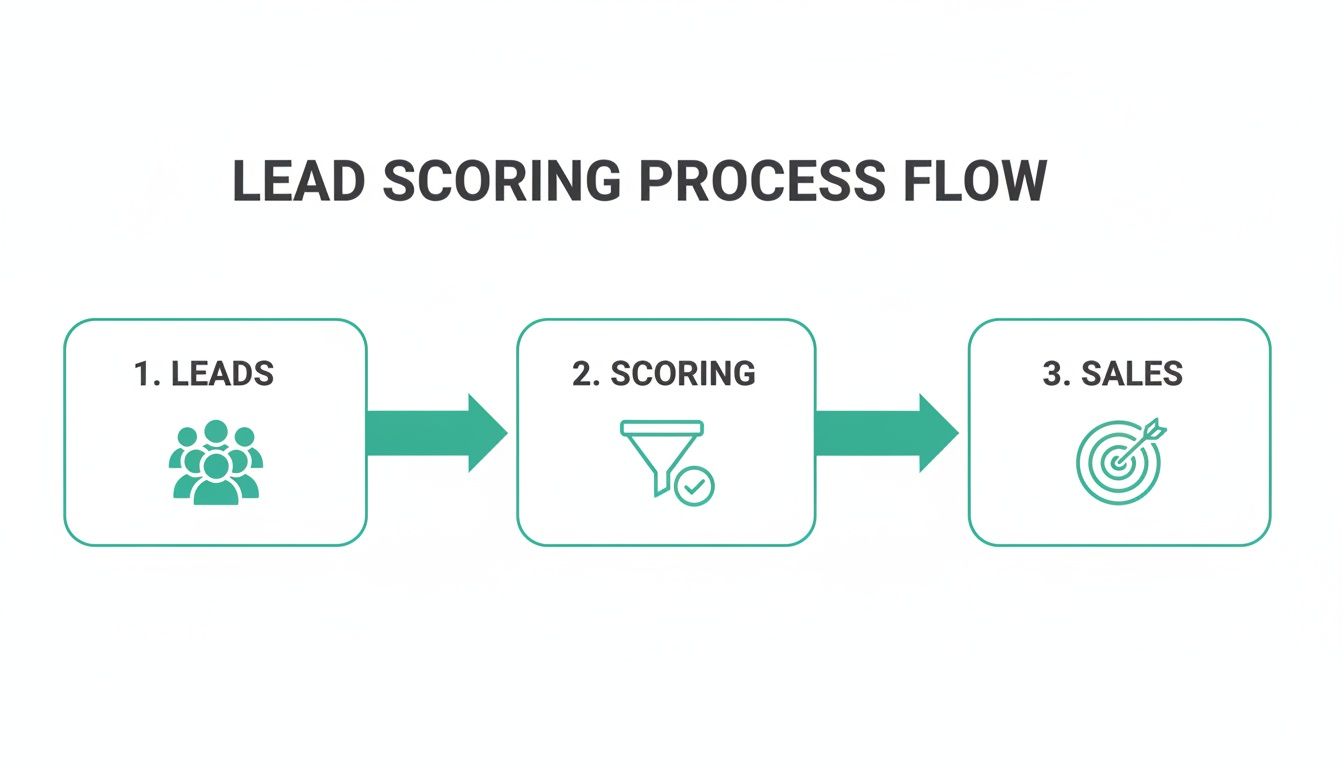
It’s a filter, plain and simple, designed to surface the best leads for your team.
Distinguishing Between Fit and Intent
One of the biggest mistakes people make is lumping all data points together. A VP of Marketing from a 500-person tech company is not the same as a student who downloaded an ebook. To avoid this mess, split your model into two distinct scores: a Fit Score and an Engagement Score.
- Fit Score: This answers the question, "Is this the right type of customer for us?" It's all about how well they match your ideal customer profile (ICP). A lead from a target industry with a decision-making job title? That's a high fit score.
- Engagement Score: This answers, "How interested is this person right now?" It's purely about their behaviour—their active buying signals. Someone who keeps coming back to your pricing page is screaming intent. High engagement score.
When you separate these two, you create a powerful matrix. A high-fit, low-engagement lead is perfect for a long-term nurture sequence. But a high-fit, high-engagement lead? That needs to go to sales. Immediately. The goal is to stop wasting your sales reps' time on leads who look good on paper but have zero interest in buying.
For a deeper dive into this strategy, this definitive guide to setting up lead scoring in HubSpot is a fantastic resource for designing your model.
Assigning Point Values That Reflect Reality
Here’s where the rubber meets the road. Your point values need to reflect genuine buying intent. Not all actions are created equal, and your scoring should show that. A visit to your pricing page is a massive signal, way more important than a blog subscription.
Think about it in tiers.
The table below gives you a solid starting point for how you might assign points based on a lead’s behaviour.
Sample Behavioural Scoring Criteria
| Action (Implicit Data) | Intent Level | Suggested Score |
|---|---|---|
| Demo Request / Contact Sales Form | High | +15 points |
| Pricing Page View | High | +10 points |
| Case Study Download | Medium | +5 points |
| Webinar Attendance | Medium | +5 points |
| Blog Subscription | Low | +2 points |
| Marketing Email Open | Low | +1 point |
| Careers Page Visit | Negative | -10 points |
| Unsubscribed from Emails | Negative | -25 points |
This structure helps you clearly differentiate between casual interest and active buying consideration, ensuring your total score is a true reflection of a lead's potential.
Don't forget negative scoring. It's crucial for keeping your pipeline clean. You should absolutely subtract points for actions that signal a poor fit, like visiting your careers page, having a student email address, or going dark for 90+ days.
Your lead scoring model is not a "set it and forget it" project. Treat it like a living system. Start with an educated guess based on customer data and sales feedback, but be ready to tweak those point values as you see what actually works.
Thankfully, HubSpot has made this much easier. The platform's scoring tools now allow for creating multiple, distinct score properties. This enables you to build out separate fit and engagement scores with much more flexibility, which is a massive improvement for anyone serious about getting this right.
Mapping Data to HubSpot Properties
Okay, final step in the planning phase. You need to connect your scoring ideas to the actual data inside HubSpot.
For your fit score, go through your HubSpot properties. Identify which contact and company fields hold the key firmographic info you need—things like Industry, Company Size, and Job Title. If you're missing something critical, now's the time to update your forms or find a creative way to capture it. A practical example is using an interactive quiz or calculator as a lead magnet to gather this valuable zero-party data.
For the engagement score, you’ll lean on HubSpot’s built-in tracking for page views, form submissions, and email clicks.
By building a model that aligns with the data you actually have (or can get), you’re creating a practical system that will work from day one.
Building Your Lead Scoring Properties in HubSpot
Alright, with a solid strategy in your back pocket, it’s time to move from blueprint to build. This is where your theoretical model becomes a real, automated system inside HubSpot. We'll get our hands dirty with the practical steps of creating custom score properties and setting up the rules that bring your lead qualification process to life.
The whole game here revolves around creating specific properties to hold your scores. Instead of cramming everything into a single, generic score, modern lead scoring splits "fit" from "engagement." This simple change gives your sales team much clearer insight into why a lead is hot.

This distinction is critical. A contact with a high fit score but low engagement is a perfect candidate for a nurturing sequence. On the flip side, a high-fit, high-engagement lead needs a sales rep on the phone, like, yesterday. By building two separate scores, you enable this kind of intelligent, automated routing.
Creating Your Custom Score Properties
First things first: your scores need a place to live. In HubSpot, that means creating a couple of custom properties. You'll typically create these for contacts, but you can apply the same logic to companies if that suits your sales process better.
Jump into your HubSpot settings (the gear icon), then find 'Properties' in the left sidebar. From there, you'll create two new contact properties:
- Fit Score: This is for all the demographic and firmographic data—basically, how well a lead matches your Ideal Customer Profile (ICP).
- Engagement Score: This one tracks a lead’s behaviours and interactions with your brand, like page views, email clicks, and form submissions.
When creating them, make sure you choose the 'Score' field type. This is a special property that lets you define criteria to automatically add or subtract points, which is exactly what we need.
HubSpot’s newer scoring tools are a massive step up from the legacy system. The ability to create multiple, distinct score properties allows for a much more nuanced and accurate qualification process than the old, single-score approach.
Once these properties exist, you can start building the logic that powers them. This means setting up the positive and negative criteria that will adjust a lead's score in real time as HubSpot learns more about them.
Configuring Positive and Negative Scoring Rules
Inside each new score property, you’ll see sections for 'Positive' and 'Negative' criteria. This is where you translate your scoring model into actual rules. You can add up to 100 different criteria sets, which gives you plenty of room to get specific.
For your Fit Score, the rules will be based on static contact and company properties.
- Positive Criteria Example: You might add +15 points if the
Job Titlecontains "VP" or "Director." You could add another +10 points if theirIndustryis one of your key target verticals, like "Software" or "Financial Services." - Negative Criteria Example: On the other hand, you’ll subtract points for poor-fit indicators. A classic move is to subtract -20 points if the
Emailcontains a free provider like "gmail.com" or "yahoo.com" to filter out less serious B2B enquiries.
For your Engagement Score, the rules will focus on a contact's activities.
- Positive Criteria Example: You could assign +10 points for a contact who has viewed your pricing page more than once. Another rule might be to add +5 points each time they submit a form to download content like an ebook or case study.
- Negative Criteria Example: Lead decay is a real thing. You can subtract points if a contact goes quiet. For example, subtract -15 points if their
Last seendate is more than 90 days ago.
Remember, a strong lead magnet can seriously boost engagement scores by encouraging valuable actions. If you're not sure how your current offers stack up, running them through a free lead magnet audit tool like Magnethive can generate a comprehensive report and fresh ideas to capture those high-intent leads.
Setting Score Caps and MQL Thresholds
A common mistake is letting scores grow forever. A lead with a score of 850 isn't necessarily more qualified than one with 150 if your MQL threshold is 100. Uncapped scores just get confusing and lose their meaning over time.
While HubSpot's newer scoring tools wisely default to a 100-point system, it’s still good practice to think about what a "perfect" score represents. This keeps the system clean and easy for both marketing and sales to understand.
Now for the most important part: defining your MQL (Marketing Qualified Lead) threshold. This is the magic number that tells your system a lead is ready for sales.
Let's say you decide a combined score (Fit + Engagement) of 100 points means a lead is sales-ready. This threshold becomes the trigger for all your automation. When a contact's score crosses this line, a workflow can automatically:
- Change their lifecycle stage from 'Lead' to 'Marketing Qualified Lead'.
- Create a task for the right sales rep.
- Fire off an internal notification via Slack or email to alert the sales team.
This automated handoff is the entire point of building a lead scoring in HubSpot system. It kills the guesswork and manual review, ensuring hot leads get contacted quickly and consistently. You're directly translating your strategy into a functional part of your revenue engine.
Automating Actions with Lead Scoring Workflows
A perfectly calculated lead score is useless until it actually does something. It's just a number in a database, collecting digital dust. The real magic of lead scoring in HubSpot happens when you use those scores to trigger intelligent, automated actions. This is where HubSpot Workflows come in, turning your scoring model from a passive grade into an active sales and marketing engine.
Without automation, you're leaving the most important step—the handoff to sales—to chance. You're relying on someone to manually check a list, notice a high score, and then decide to act. Workflows kill that delay. The second a lead proves they're sales-ready, the right things happen instantly.

This immediate response is what separates a decent lead management process from a great one. You engage high-intent leads while their interest is red-hot, which massively increases your odds of starting a real conversation.
100% Free Lead Magnet Audit
Our AI analyzes your website and delivers custom growth strategies in seconds.
Triggering the Sales Handoff
The first and most critical workflow to build is the one that qualifies and routes your Marketing Qualified Leads (MQLs). Think of this as the bridge connecting marketing's hard work to the sales team's pipeline.
The trigger here is beautifully simple: a contact's score hits your MQL threshold. For instance, you can set the workflow to enrol contacts the moment their Total Score property is greater than or equal to 100.
Once they're in, the workflow needs to do a few critical things, fast:
- Update Lifecycle Stage: First, flip their
Lifecycle Stagefrom 'Lead' to 'Marketing Qualified Lead'. This is the flag that tells everyone in the business this person is ready for a sales conversation. - Assign Lead Ownership: Next, automatically assign the lead to a sales rep. You can use rotation rules for fairness or get fancy and assign based on territory, industry, or whatever makes sense for your team.
- Create a Sales Task: To make the handoff impossible to ignore, create a task for the new owner. The task should tell them exactly what to do—follow up within X hours—and holds them accountable.
A lead score on its own is not actionable. A successful approach involves automation to ensure contacts are routed to the right people, nurtured with the right content, and served the most customised experience possible.
This simple sequence eliminates manual fumbling and ensures a consistent, speedy handoff every single time. It's the absolute foundation of effective lead scoring in HubSpot.
Notifying Your Team in Real Time
Let’s be honest, speed is everything. A hot lead cools off fast. Waiting for a sales rep to casually check their task list just isn't good enough. You can solve this by baking real-time internal notifications right into your MQL workflow.
HubSpot gives you a few options to get your team's attention:
- Internal Email: Fire off a custom email to the lead owner with all the juicy details—their name, company, and the high-intent actions that pushed them over the MQL line.
- Slack Integration: If your team lives and breathes Slack, this is the way to go. Push a notification to a sales channel or slide it right into the lead owner's DMs. It's often the fastest way to get a rep to jump on a lead.
These alerts are like a digital tap on the shoulder, saying, "Hey, this person is ready to talk right now."
Automating Targeted Nurturing Sequences
Not every high-scoring lead is ready for a sales call, and that's okay. A common scenario is a contact with a killer 'Fit Score' (they're a perfect match for your ICP) but a dismal 'Engagement Score' (they haven't been active recently). These are valuable leads you can't afford to lose, but they need some warming up.
This is a perfect job for a separate, targeted nurturing workflow. You can trigger it based on that specific score combination—for example, a Fit Score above 50 and an Engagement Score below 20.
This workflow can automatically drop them into a specialised email sequence designed to get their attention. Maybe you send them a case study from their industry or an invite to a relevant webinar. The goal is to reignite their interest.
By segmenting and nurturing these high-potential leads automatically, you stop them from falling through the cracks just because their timing is a little off. This is a crucial part of connecting your marketing automation and CRM strategy for better, more consistent results.
If you want to get a better handle on the concepts that make these automated systems so powerful, digging into the fundamentals of workflow automation can be a real eye-opener. It explains how these processes drive efficiency far beyond just sales and marketing.
Adapting Lead Scoring for Different Global Markets
If your business operates across borders, a one-size-fits-all lead scoring model will quickly become your weakest link. It’s a classic mistake. What signals high intent in North America might be just casual browsing in Asia or Europe. Adapting your lead scoring in HubSpot for different global markets isn't just a nice-to-have; it's essential for getting any real results.
Think about it: a job title that screams "decision-maker" in one country could easily be a mid-level role in another. The way prospects interact online, the content they value, and even their expectations around the sales process can vary dramatically. Ignoring these nuances means you'll misqualify great leads and burn out your sales team on prospects that were never a good fit.
Cultural and Behavioural Adjustments
Getting practical, a prospect in one country might visit your pricing page multiple times before ever considering a demo, seeing it as a standard part of their research process. In another region, that same behaviour could be a massive buying signal. This is exactly why you have to dig into regional data to understand what people are actually doing.
You just can't apply a single set of rules globally and expect it to work. The key is to start with a baseline model and then create regional variations based on hard data and, crucially, feedback from your local teams.
Here are a few areas where companies often misstep:
- Job Titles: The word "Manager" can mean wildly different things across corporate cultures. Sit down with your local sales reps to map out the key decision-making titles for each region and adjust your scoring.
- Company Size: The definition of an SMB versus an Enterprise company can differ significantly between, say, the US and Brazil. Your firmographic scoring has to reflect the actual business landscape of each target market.
- Content Engagement: An ebook download might be a strong indicator of interest in one market, while in another, webinar attendance is the gold standard. You need to analyse which content formats are actually performing in each region and weight your scores accordingly.
Don't assume that a high-intent action in your primary market translates perfectly to others. Use HubSpot's analytics to segment engagement data by country and let the numbers guide your scoring adjustments.
By localising your criteria, you make sure your scores reflect genuine intent, not just a set of culturally biased assumptions. This kind of thoughtful adjustment is a core part of effective market segmentation for B2B companies and helps align your entire go-to-market strategy with what's actually happening on the ground.
To illustrate how this works in practice, let's look at a few common scoring criteria and how they might be adapted from a global standard to a specific market like the UK.
Global vs Local Scoring Adjustments
| Scoring Criterion | Standard Global Approach | Example Localized Adjustment (UK) |
|---|---|---|
| Pricing Page Visit | +15 points for any visit. A high-intent signal. | +5 points. UK buyers often research pricing thoroughly and multiple times before engaging. It's a research signal, not a strong buying signal. |
| Job Title "Manager" | +10 points. Assumed to have buying influence. | +2 points. In many UK firms, "Manager" is a mid-level role. Score "Director" or "Head of" titles higher (+20 points). |
| Ebook Download | +10 points. Strong indicator of initial interest. | +5 points. Webinars and case studies often show higher intent in the UK market. Ebooks are more top-of-funnel. |
| Company Size | 500+ employees = Enterprise (+20 points). | 250+ employees = Enterprise (+20 points). The UK government's definition for large business starts at 250 employees. |
As you can see, these aren't massive overhauls. They're targeted, data-informed tweaks that make the difference between a noisy scoring system and one that reliably surfaces the best leads for your local teams.
The Impact of Localisation on Lead Quality
Investing time in localisation pays off, big time. This is especially true in rapidly expanding B2B markets. Recent sales predictions from HubSpot highlight that cookie-cutter global strategies often fall flat in diverse regions. Companies see much better results when they stop treating markets as interchangeable.
Why? Because localisation is a primary growth driver. Even small tweaks like adjusting currency and language on a pricing page can drive huge growth. You can discover more about the future of sales predictions on HubSpot's blog to dig into the data yourself.
This just confirms what experienced marketers already know: a localised approach to lead scoring in HubSpot is non-negotiable. You have to configure your system to recognise these regional patterns and preferences if you want to see better engagement.
Building Regional Scoring in HubSpot
So, how do you actually implement this? A smart way to manage this in HubSpot is by using separate score properties for different regions. Another solid method is using workflows with branching logic based on a contact's Country property.
For example, a workflow could check a lead's location first. If the lead is from the UK, it applies one set of scoring rules. If they're from Japan, it applies a completely different set. This approach keeps your main scoring properties clean while allowing for all the regional customisation you need.
And please, remember to lean heavily on your local sales and marketing teams. They are your eyes and ears on the ground. They can give you invaluable, real-world feedback on whether the scores are accurately reflecting lead quality in their market. Set up regular check-ins to refine your model over time, ensuring it remains a powerful and precise tool for your global sales efforts.
Measuring Success and Refining Your Model
Putting your lead scoring model into HubSpot is a huge first step. But it’s not a "set it and forget it" kind of deal. Think of it as a living system that needs regular check-ups to stay sharp and effective. The real aim here is to build a process that flexes with your market, making sure the leads you send to sales are genuinely the ones most likely to buy.
The whole point of tracking success is to see if your model is actually predicting who’s ready to talk to sales. If your high-scoring leads aren't closing at a better rate than your average leads, something’s off. That’s your number one health indicator and the metric that should drive every tweak you make.
Key Performance Indicators to Track
To get a real sense of how your model is doing, you only need to focus on a few critical metrics. A great practice is to build a simple dashboard right in HubSpot to keep these numbers in front of you. It makes spotting trends—or problems—way easier before they turn into major issues.
Here are the core metrics you should have on that dashboard:
- MQL to SQL Conversion Rate: This is the big one. What percentage of your Marketing Qualified Leads (MQLs) actually get accepted by the sales team and become Sales Qualified Leads (SQLs)? A low number here is a red flag. It usually means your scoring threshold is too low, or your idea of a "good lead" doesn't match what sales needs.
- Lead-to-Customer Conversion Rate by Score: This tells you if your points system is working. You need to compare the close rate of your top-tier leads (say, anyone with a score of 100+) against your overall average. You should be seeing a big, positive difference. If not, the model isn't doing its job.
- Sales Cycle Length for Scored Leads: A well-oiled model should actually help shorten the sales cycle. Start tracking how long it takes for your highest-scoring leads to close compared to the company average. Shorter is better.
Your lead scoring model is only as good as the feedback loop you build around it. Without consistent input from your sales team, your data-driven assumptions can drift dangerously far from on-the-ground reality.
Establishing a Sales Feedback Loop
Data tells you what is happening, but your sales team can tell you why. Their real-world insights are the missing piece of the puzzle. A lead might look perfect on paper with a sky-high score, but if they keep stalling out, your reps are the ones who know the reason.
Don't leave this to chance. Set up a regular, structured process for getting this feedback. A simple monthly meeting between marketing and sales leaders can work wonders. In that meeting, pull up the MQLs from the last month and just talk through them. Which ones were gold? Which were duds? And most importantly, why? Maybe that fancy job title you valued so highly isn't the real decision-maker. Or maybe a specific ebook is attracting students, not buyers.
This is the kind of direct feedback that makes your scoring criteria smarter. You might find out that leads from a certain industry need a completely different set of rules, or that a "demo request" from your pricing page is almost always a support ticket in disguise. These are the details that turn a good scoring model into a great one. You can dig deeper into the different options for centralising this whole process by looking at various types of lead management software.
Ultimately, getting this right is all about small, iterative improvements. Use your HubSpot reports to spot the patterns, then talk to sales to understand the story behind the numbers. Make small, deliberate adjustments, and repeat. Over time, this disciplined approach will perfect your lead scoring in HubSpot, turning it into a reliable engine for building a predictable pipeline.
Got Questions About HubSpot Lead Scoring?
Right, let's tackle some of the common questions that pop up when you're getting serious about lead scoring in HubSpot. Think of this as the quick-start guide to avoid the usual pitfalls.
Can I Have More Than One Lead Score in HubSpot?
Yes, and honestly, you're doing it wrong if you don't. Lumping everything into a single score is a rookie mistake that muddies the water.
A modern, effective lead scoring setup in HubSpot needs at least two distinct properties:
- Fit Score: This is all about demographics and firmographics. Does this lead actually look like your Ideal Customer Profile (ICP)? We're talking job title, company size, industry—the hard facts.
- Engagement Score: This one tracks behaviour. It's their "digital body language." Are they opening your emails, binge-watching your webinars, or lurking on your pricing page?
Splitting them up is a game-changer for sales. It lets them see why a lead is hot in a single glance. A high-fit, low-engagement lead? That’s a perfect candidate for a targeted nurture sequence. High-fit and high-engagement? Get them on the phone, now.
How Often Should I Actually Review My Scoring Model?
Set it and forget it? Not a chance. Your scoring model is a living thing, and it needs regular check-ups to stay relevant. I'd recommend a full review at least once a quarter.
When you do, your north star should be one thing: the conversion rate of your MQLs. Are the leads with the top scores actually closing? Or are they just tyre-kickers who look good on paper?
Pro Tip: The most valuable insights won't come from a HubSpot report. They'll come from your sales team. Set up a regular, formal feedback loop. Ask them which leads were gold and which were duds. Their street-level intel is what turns a good scoring model into a great one.
What's This "Explicit vs. Implicit Scoring" Thing?
Getting this distinction right is foundational. It’s the difference between what people tell you and what they show you.
- Explicit Scoring is based on the data people hand over willingly. Think form submissions. It's the job title, company name, or budget they type in themselves. It’s clear, direct information.
- Implicit Scoring is about observing behaviour. It's the stuff they do on your site. Did they visit the pricing page three times in a day? Did they download that deep-dive case study? These actions are powerful signals of intent.
A balanced model doesn't choose one over the other. It blends both to build a complete, nuanced picture of who the lead is and how interested they truly are.
How Does HubSpot Stack Up Against Other Tools in Europe?
The appetite for smart lead qualification in Europe is growing fast. While North America might have had a head start, Europe is now the second-largest market for these tools, with platforms like HubSpot, Salesforce, Zoho, and ActiveCampaign all fighting for a piece of the pie.
The global market for lead scoring is expected to hit a massive $7.73 billion by 2033. That number tells you everything you need to know: businesses that aren't systematically prioritising their best leads are getting left behind. If you want to dig deeper, this analysis of the European lead scoring market is a good place to start. The trend is clear—if you're not scoring, you're just guessing.