The Modern SEO Audit Report Guide to Win Clients
Transform your SEO audit report from a static data dump into an interactive tool. This guide shows you how to uncover critical issues and win more clients.

An SEO audit report is a document that breaks down a website's ability to rank in search engines. At its core, it looks at technical SEO, on-page content, and off-page authority, pointing out what's broken and where the opportunities are hiding.
Why Traditional SEO Audit Reports Fail to Impress
Let’s be honest for a second. Most SEO audit reports are overwhelming data dumps. We spend days, sometimes weeks, running crawls and pulling metrics into a massive PDF. And what happens? It lands on a client’s desk and collects digital dust.
I've been there more times than I can count, feeling that sinking frustration of delivering a report packed with game-changing insights that never, ever leads to action. You pour your expertise into a 50-page document, only to hear crickets. It's a soul-crushing part of the job that nobody talks about.
The problem isn't the data; it's the delivery. Static reports are fundamentally broken because they fail to create any sense of urgency or offer a clear path forward.

The Action Gap
A 50-page document listing 100+ issues creates paralysis, not momentum. Clients just see a mountain of problems without any clue where to even start. Critical, revenue-impacting issues get buried next to minor suggestions, and the "why" behind each recommendation is lost in a sea of technical jargon.
This format creates what I call the "action gap" — where all that valuable analysis goes to die before it ever gets implemented. It's a colossal waste of time for everyone involved.
The Problem with Static Content
This isn't a problem unique to audit reports. It's a fundamental flaw in most static lead magnets, like PDFs and ebooks. They are one-way conversations that offer generic value and completely fail to engage the user on a personal level.
You can learn more about why the traditional lead magnet PDF is dying and what to do about it, but the principle is the same: static content rarely inspires immediate action.
To put it into perspective, here's the old way versus the new.
Static Report vs Interactive Tool A Quick Comparison
| Feature | Static PDF Report | Interactive Audit Tool |
|---|---|---|
| Engagement | Passive reading, one-way | Active participation, two-way |
| Personalisation | Generic, one-size-fits-all | Tailored results and advice |
| Data Capture | Limited to initial form fill | Rich, zero-party data |
| Call to Action | Vague, often ignored | Clear, immediate next steps |
| Lead Quality | Low intent, info-gathering | High intent, problem-aware |
| Urgency | Low, easily postponed | High, shows real-time impact |
The table makes it pretty clear. One format is a relic, and the other is the future.
The goal of an audit shouldn't be to document what's broken. It should be to build a business case for fixing it. A static PDF is a terrible tool for building a compelling case.
Interactive content, on the other hand, creates a two-way dialogue. Even a simple tool that analyses one specific thing—like page speed or title tag optimisation—provides instant, personalised value. It answers the user's burning question right now and, in doing so, builds trust and demonstrates expertise far more effectively than any downloadable guide ever could.
This guide will show you how to move beyond a simple checklist of "what's broken" and into building a dynamic, interactive experience that answers "what's next?" and "what's the impact?" We're not just creating another report; we're building a tool that sparks action and showcases immediate value from the very first click.
Gathering Your Core Audit Data
Before you can even think about building a slick report or a high-converting interactive tool, you need data. Good data. A killer SEO audit report isn't about dumping every metric you can find into a spreadsheet. It's about surgically collecting the right data points that tell a story.
I break this down into three core pillars: technical health, on-page content, and off-page authority. Think of them as the legs of a stool. If one is shaky, the whole thing comes crashing down. Your job is to find the weak spots in each one.
The Technical Foundation
This is ground zero. Every single audit has to start here.
Technical problems are the silent killers of SEO. They're invisible to the average user but can completely derail search engine crawlers. If you mess this up, even the most amazing content strategy is dead on arrival. It's the unglamorous, behind-the-scenes work that makes everything else possible.
Your first step is a comprehensive site crawl. This is your first real look under the bonnet, and you absolutely need a solid SEO tool to get a full picture of your site's architecture and health.
A rookie mistake I see all the time is just focusing on the big, flashy red errors. The real gold is in the patterns you find in the "warnings" and minor issues. A couple of slow pages? That's a to-do list item. Hundreds of them? Now you've uncovered a systemic problem with image compression or server setup.
You have to nail the basics that so many people gloss over:
- Crawlability & Indexability: Can Google even find and understand your pages? Check your
robots.txtfor anything you're accidentally blocking. Look at your XML sitemap for errors or missing URLs. - Site Speed (Core Web Vitals): How fast does the site feel to a real person? Don't just test the homepage. Analyse your most important landing pages and your most popular articles.
- Mobile-Friendliness: This goes way beyond a simple "pass/fail" check. Actually use the site on your phone. Try to navigate, fill out a form, buy something. Is it a nightmare?
Don't think of technical SEO as a one-and-done task. Persistent technical issues are frighteningly common. Slow page load speeds are a massive issue when sites loading in one second convert significantly better than those loading in five. On top of that, many sites have pages missing from their XML sitemap, or don't have a sitemap at all. That’s like building a store but not giving anyone a map to find the aisles.
On-Page Content and Structure
Once the technical foundation is solid, you can turn your attention to the content itself. This isn't just about stuffing keywords into title tags. It’s about figuring out how well your content is structured to meet what users are actually looking for.
You're searching for clues. Does your content strategy actually support your SEO goals? Can people easily find your most important stuff? Are you building clear pathways for users and search engines to follow?
Here's what to tear apart:
- Content Quality: Are you creating thin, "zombie" pages that provide zero value? These low-effort pages can drag down your entire site's authority.
- Internal Linking: This is your secret weapon. Smart internal linking spreads authority around your site and tells search engines which pages really matter. Hunt for "orphaned" pages that have no internal links pointing to them.
- Schema Markup: Are you spoon-feeding search engines information with structured data? Using schema can get you those fancy rich snippets in the search results, which can seriously boost your click-through rates.
Off-Page Authority Analysis
Finally, it's time to look beyond your own domain. Your off-page authority is mostly about your backlink profile. For years, the mantra was just "get more links." That's not just outdated advice; it's dangerous. Today, it’s all about quality and relevance.
A single link from a respected industry publication is worth more than a hundred links from sketchy, irrelevant directories. In fact, a bad backlink profile can actively hurt you. Many sites have backlink profiles with a significant number of links that carry medium to high toxicity risks. Those links aren't just useless; they're a direct threat to your rankings.
Your analysis needs to focus on three things:
- Backlink Quality: Where are the links coming from? Are they legit, authoritative sites in your niche?
- Anchor Text Distribution: Does your anchor text look natural, or is it stuffed with exact-match keywords? Over-optimisation is a massive red flag for search engines.
- Toxic Link Identification: Are there spammy or manipulative links pointing to your site? You have to find them before you can get rid of them and clean up your profile.
Once you have all this data from these three pillars, you'll have a complete 360-degree view. You've got the raw materials. Now you're ready to move on from simple data collection to building a prioritised, actionable, and genuinely compelling SEO audit report.
Turning Data Into a Prioritised Action Plan
You’ve done the hard work. You’ve crawled the site, pulled the metrics, and compiled a mountain of data. Technical health, on-page content, backlink authority — it's all there.
This is the exact point where most SEO audits die. They become a giant, overwhelming list of everything that’s broken, get emailed to the client, and are never looked at again.
But data without interpretation is just noise. Your real value isn't in finding the problems; it's in telling a clear story about which ones matter most and what to do about them. This is how you transform a data dump into a strategic roadmap that actually gets people excited to start.
Let's stop thinking in terms of a flat, intimidating checklist of 100+ issues. Instead, you need to build a prioritised plan. The most effective way I've found to do this is with a simple but powerful scoring system based on two axes: Impact and Effort.
This diagram shows the core components your audit data should cover before you can even think about prioritisation.
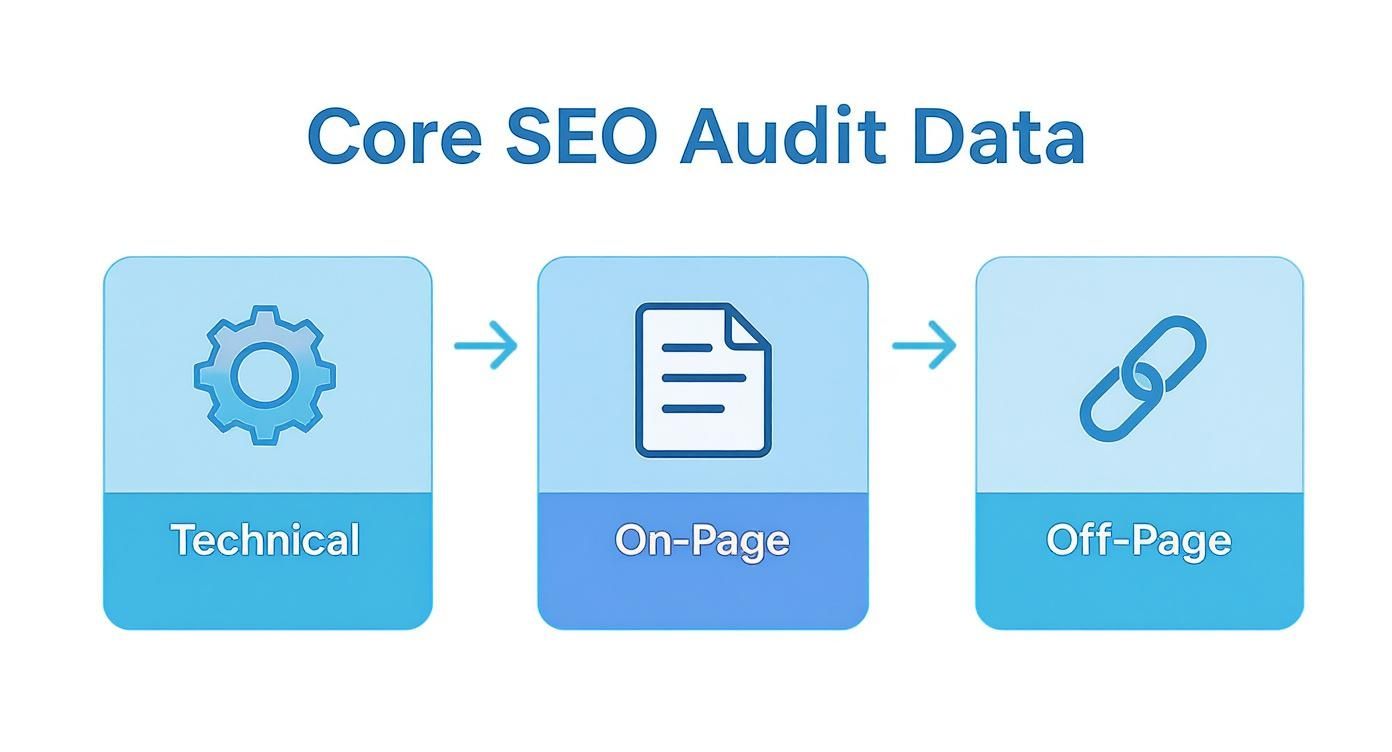
Once you've grouped your findings into these technical, on-page, and off-page buckets, you can start applying a scoring framework to each and every issue.
The Impact vs. Effort Framework
This framework forces you to evaluate every single finding through a strategic lens. It's brutally simple. For each issue in your audit, you assign two scores, usually on a scale from 1 (Low) to 5 (High).
- Impact Score: How much will fixing this actually move the needle on traffic, conversions, or revenue? A fix that could unblock 50% of organic traffic is a clear 5.
- Effort Score: How much time, money, or developer agony is required to get this done? A simple title tag update is a 1. A full site migration is a hard 5.
When you plot these findings on a simple matrix, the action plan practically builds itself. The clarity is immediate.
Your goal is not to present a list of problems. It is to present a sequence of solutions. The Impact vs. Effort matrix is the most powerful tool I've found for creating that sequence logically and persuasively.
Categorising Your Findings for Action
Once you start scoring, you'll see your findings naturally fall into four distinct categories. Each one tells you exactly what to do next.
- Quick Wins (High Impact, Low Effort): These are pure gold. They deliver massive results with minimal fuss and build instant momentum. Start here, always.
- Practical Example: You find a
noindextag accidentally left on a dozen high-value landing pages. Removing it takes five minutes and could immediately restore rankings and traffic. This is a no-brainer.
- Practical Example: You find a
- Major Projects (High Impact, High Effort): These are the game-changers. The big, strategic initiatives that require proper planning, budget, and buy-in from multiple teams.
- Practical Example: A complete site architecture overhaul for a massive e-commerce site. It’s a huge undertaking, but it’s the kind of project that unlocks substantial, long-term growth.
- Fill-In Tasks (Low Impact, Low Effort): Think of these as "nice-to-haves" or cleanup jobs. They're worth doing, but only when developers have spare cycles or they can be bundled into a small sprint.
- Practical Example: Adding
alt textto a handful of old, non-critical images. It’s good practice, for sure, but it’s not going to double your traffic overnight.
- Practical Example: Adding
- Time Sinks (Low Impact, High Effort): Here's the controversial part: these are the tasks you should probably just ignore. So many SEOs feel compelled to fix every single "error" a tool flags. Don't. If a fix takes weeks for a tiny gain, your resources are better spent elsewhere.
- Practical Example: Manually rewriting meta descriptions for 500 old blog posts that get zero organic traffic. The effort is enormous, and the potential impact is virtually zero. It’s a distraction.
To make sure your audits are not only comprehensive but also genuinely easy to act on, the right tech can make a huge difference. It’s worth exploring the best SEO reporting tools that can help automate some of this data visualisation and tracking for you.
When you structure your audit report this way, you stop being a reporter of problems and become a strategic partner. You're not just handing over a list; you're providing a clear, compelling roadmap that focuses everyone's energy on what will actually drive results.
Right, let's get down to business. We're going to stop being reporters and start being builders.
Why spend days wrestling a static SEO audit into a PDF that will get skimmed once and then forgotten? Instead, you can build a simple, interactive tool that gives people real value on the spot and pulls in high-intent leads 24/7.
This is your guide to transforming that audit methodology of yours into a seriously powerful piece of interactive content. You’re not just handing out information anymore; you’re creating an experience that solves a real problem for your visitor, right then and there.

100% Free Lead Magnet Audit
Our AI analyzes your website and delivers custom growth strategies in seconds.
Find Your Hook by Focusing on One Problem
The biggest mistake I see people make is trying to cram their entire, super-comprehensive audit process into a single tool. That’s a one-way ticket to a clunky, overwhelming user experience that nobody will ever finish.
The secret is to narrow your focus. Pick one specific, painful problem your ideal client has and build a tool that diagnoses it instantly.
- Practical Example (Page Speed Analyser): A simple tool where someone pops in their URL and gets an instant score on their Core Web Vitals, maybe with one or two quick, actionable tips.
- Practical Example (Title Tag Grader): Just an input field. They paste their URL and target keyword, and your tool grades the title tag on length, keyword placement, and CTR best practices.
- Practical Example (Local SEO Visibility Checker): They enter their business name and postal code, and the tool instantly checks their visibility across the most important local directories.
Each of these delivers a specific, valuable answer immediately. It gets the user hooked and opens the door for a much deeper conversation about all the other problems you can solve for them.
Designing an Effective Audit Tool
Let me be clear: the user experience (UX) is everything. Your tool has to be intuitive, fast, and deliver on its promise without any friction. If a user has to think too hard or wait too long, they’re gone. Simple as that.
Here are the core UX principles you need to live by:
- Clarity Above All: The user must know exactly what the tool does and what they need to do within three seconds. A clear headline like "How Fast Is Your Website?" works wonders.
- Minimal Inputs: Ask for the absolute bare minimum of information needed to provide value. If a URL is all you need to run a check, don't you dare ask for their name, company size, and phone number upfront.
- Instant Gratification: Deliver the main result immediately, right there on the screen. Don’t hide the score behind an email gate. Show them the "what" right away, and then offer to email them the detailed "how to fix it" guide.
A simple, well-designed calculator built with a no-code tool will consistently outperform a complex, AI-generated monster. Why? Because it solves one specific problem immediately and perfectly, building trust far more effectively than some 50-page, machine-written report ever could.
The market backs this up. The demand for tools that help with digital marketing optimisation is growing steadily. This growth isn’t just for massive platforms; it’s for any solution that can effectively diagnose common issues—like the fact that many sites have Hreflang configuration errors.
The Power of Zero-Party Data
This is where the real magic happens. When a user engages with your tool, they are giving you zero-party data—information they are explicitly and willingly sharing. They are literally telling you what their problems are.
A user who checks their page speed is basically saying, "I'm worried my site is too slow." Someone using a title tag grader is admitting, "I'm struggling with on-page SEO." This stuff is infinitely more valuable than any passively collected metric because it reveals pure intent.
You can then use this data to segment your leads and personalise your follow-up, turning a cold lead into a genuinely warm conversation.
You Don't Need to Be a Developer
The idea of building a "tool" can sound intimidating, but you don't need a team of engineers. There are incredible no-code and low-code platforms out there that let you build powerful interactive experiences with simple drag-and-drop interfaces.
This isn’t just about making your lead generation more efficient; it's about fundamentally changing the value you offer right from the start. You can dive deeper into turning your expertise into a high-converting asset in our guide to building an SEO audit report tool.
And to make sure your interactive tool actually converts visitors into clients, it’s critical to follow established lead generation best practices that prioritise user experience and a clear value proposition.
Ultimately, by shifting from a static document to an interactive tool, you stop being just another service provider and become a problem-solver. You demonstrate your expertise in a tangible way, providing instant value that naturally leads prospects to wonder, "What else can they do for me?"
Right, so you’ve built an interactive audit tool. That’s a great start. But its real power isn’t just sitting on your website waiting for clicks.
The magic happens when it works for you 24/7, turning anonymous visitors into qualified leads without you lifting a finger. This is where we stop thinking about a tool and start building an automated engine. The whole point is to create a slick, professional experience that builds trust from the first click.
It’s not just about grabbing an email. Anyone can do that. It's about what happens after you get it. The real genius is hooking your tool into your backend systems—your CRM, your email platform—to instantly route and qualify every single lead that comes through.
Connecting Your Tool to Your Marketing Stack
Picture this: someone lands on your site, runs a quick audit, and gets a dismal page speed score of 45/100. Instead of that result just sitting on their screen, your system kicks into gear.
- Instant Tagging: The lead gets tagged in your CRM as "interested in page speed" or "has technical SEO issues." Boom. Segmentation done.
- Smart Nurturing: They're automatically dropped into a hyper-relevant email sequence. The first email lands in their inbox minutes later, offering a simple guide like "3 Quick Fixes for a Slow Website."
- Sales Alerts: If their score is a total disaster (say, under 30), a notification pings your sales team, flagging them as a high-priority, problem-aware lead ready for a conversation.
This isn’t just automation; it’s turning your tool from a static piece of content into a living, breathing part of your sales funnel. You're not just giving them a score; you're starting a conversation about the exact problem they just told you they have.
Delivering Results That Make People Act
How you deliver the audit results is just as crucial as the data itself. A score on a screen is fine. A personalised report, emailed directly to them? That’s next level.
And this report can’t be another generic data dump. It needs to be a compelling, easy-to-read summary of their specific issue, reinforcing the value you just provided.
Then, you use that report as a natural bridge to the next step. You're offering more value, not a hard sell. For example, the report could end with an offer for a more in-depth, human-led analysis.
This is exactly the approach we took. The initial interaction on our tool is dead simple, focused on solving one thing.
That clean interface captures their initial problem and kicks off the whole automated process behind the scenes. Once they’re in, we can deliver a much richer experience. If your goal is to generate better leads, you need a magnet that provides personalized value. Our free tool, Magnethive, does just this by generating a full report with 3 AI-powered lead magnet ideas, an analysis of their current setup, and a clear ROI summary. It shows the power of giving tailored advice upfront.
By automating the delivery of a personalised report, you create a frictionless experience. You’re not just a tool they used once; you’re a helpful expert who is already guiding them toward a solution.
This whole setup scales beautifully. It doesn't matter if you get ten users a day or a thousand. Each one gets a personalised, relevant follow-up that nudges them closer to becoming a client. That’s how you turn a simple seo audit report tool into a consistent, predictable source of high-quality leads.
A Few Questions That Always Come Up
Whenever I talk about ditching the old-school SEO audit PDF for something more dynamic and lead-focused, a few questions always pop up. That's a good thing. It means we're poking at a process that's been the same for a decade, and that naturally brings some healthy scepticism.
Here are the honest answers to the questions I get asked the most about building SEO reports that actually get things done.
How Often Should I Run an SEO Audit?
For most businesses, a full-blown SEO audit twice a year is a solid baseline. Things move fast—Google doesn't stop shipping updates and your competitors definitely aren't standing still. A bi-annual check-up stops you from drifting too far off course.
But if you're in a cut-throat industry or managing a massive site, you need to tighten that up to quarterly. A quarterly audit lets you be proactive, to get ahead of the curve instead of just playing catch-up. In between those deep dives, you absolutely must have continuous monitoring on the essentials like Core Web Vitals, indexation status, and your backlink profile. Automated tools are your friend here.
What Are the Most Critical Items in a Technical SEO Audit?
Look, you can get lost in a thousand different technical checks. While every site has its own unique flavour of problems, a few issues are just non-negotiable. Get these wrong, and nothing else you do will matter. I call them the "Big Five":
- Indexability: Can search engines even find and process your important pages? This is ground zero. If they can't see it, they can't rank it.
- Crawlability: Are you accidentally blocking Google with a dodgy
robots.txtfile or a broken sitemap? You've got to clear the path for crawlers. - Site Speed: How fast does your site load and respond? I mean on both mobile and desktop. This is a massive deal for users and, by extension, for Google.
- Mobile-Friendliness: Is your site genuinely usable on a small screen, or is it a pinch-and-zoom nightmare? In a mobile-first world, this is a deal-breaker.
- Site Security: Are you running HTTPS everywhere? It's a basic requirement for building trust and a confirmed (though small) ranking signal.
Fixing problems in these five areas almost always delivers the biggest bang for your buck. Don't waste time on the small stuff until these are rock-solid.
Can I Build an Interactive Audit Tool Without Being a Developer?
Yes. Absolutely, yes. This is probably the single biggest myth holding people back. You do not need to be a coding wizard to pull this off.
We're living in a golden age of no-code and low-code platforms. Tools like Typeform, Jotform, and Outgrow let you build slick calculators, quizzes, and analysers with a simple drag-and-drop interface. I've watched agencies build killer lead-gen tools in a single afternoon with this stuff.
The goal isn't technical complexity. It's the immediate value of the insight you provide. A simple, well-designed tool that solves one specific problem is way more powerful than some technically impressive beast that tries to do everything and just overwhelms people.
How Do I Present Audit Findings Without Overwhelming the Client?
Simple: Stop being a data reporter and start being a storyteller. Your client doesn't care about a spreadsheet with 100 different metrics. They care about what those metrics mean for their bottom line.
Kick things off with a high-level executive summary that calls out the top 3-5 most critical issues and, crucially, their direct business impact. Don't just say, "The LCP is slow." Say, "Fixing our page load speed could boost conversions on our main service pages by an estimated 15%." See the difference?
Use that 'Impact vs. Effort' grid we talked about to give them a clear, prioritised roadmap. This instantly shows them the quick wins and helps them budget time and resources for the bigger projects. And for the love of god, use simple charts and always, always tie the technical problems back to their goals—more traffic, more leads, more revenue.